

Disable Post Comments
Turn off comments on your WordPress website with less effort.
Keep your WordPress website focused on your content without the hassle of managing unwanted comments. Disable comments on posts and simplify comment management with a straightforward solution designed for website owners who don’t need a discussion section.
A small, practical tool for keeping your WordPress content clean and easy to manage.
Key highlights:
- Disable comments on supported WordPress content.
- Reduce unwanted comment activity.
- Simplify comment management across your website.
- Keep your content focused on what matters.
- Lightweight functionality without complicated settings.
Choose Your License
1 Year / 1 Site
Use on 1 website for 1 year.
$0.99
1 Year / 10 Sites
Use on up to 10 websites for 1 year.
$6.99
Lifetime / 1 Site
One time payment. Use on 1 website forever.
$6.99
Secure Checkout
Instant Download
24/7 Email Support
Plugin Details
| Version | 1.0.0 |
| Total File Size | 50.5 KB |
| Last Updated | Oct 28, 2026 |
| Requires WordPress | 6.0+ |
| Requires PHP | 7.4+ |
| Compatible With | WordPress, WooCommerce, Elementor & Contact Form 7 |
| Support | 24/7 Email Support |
Disable Post Comments
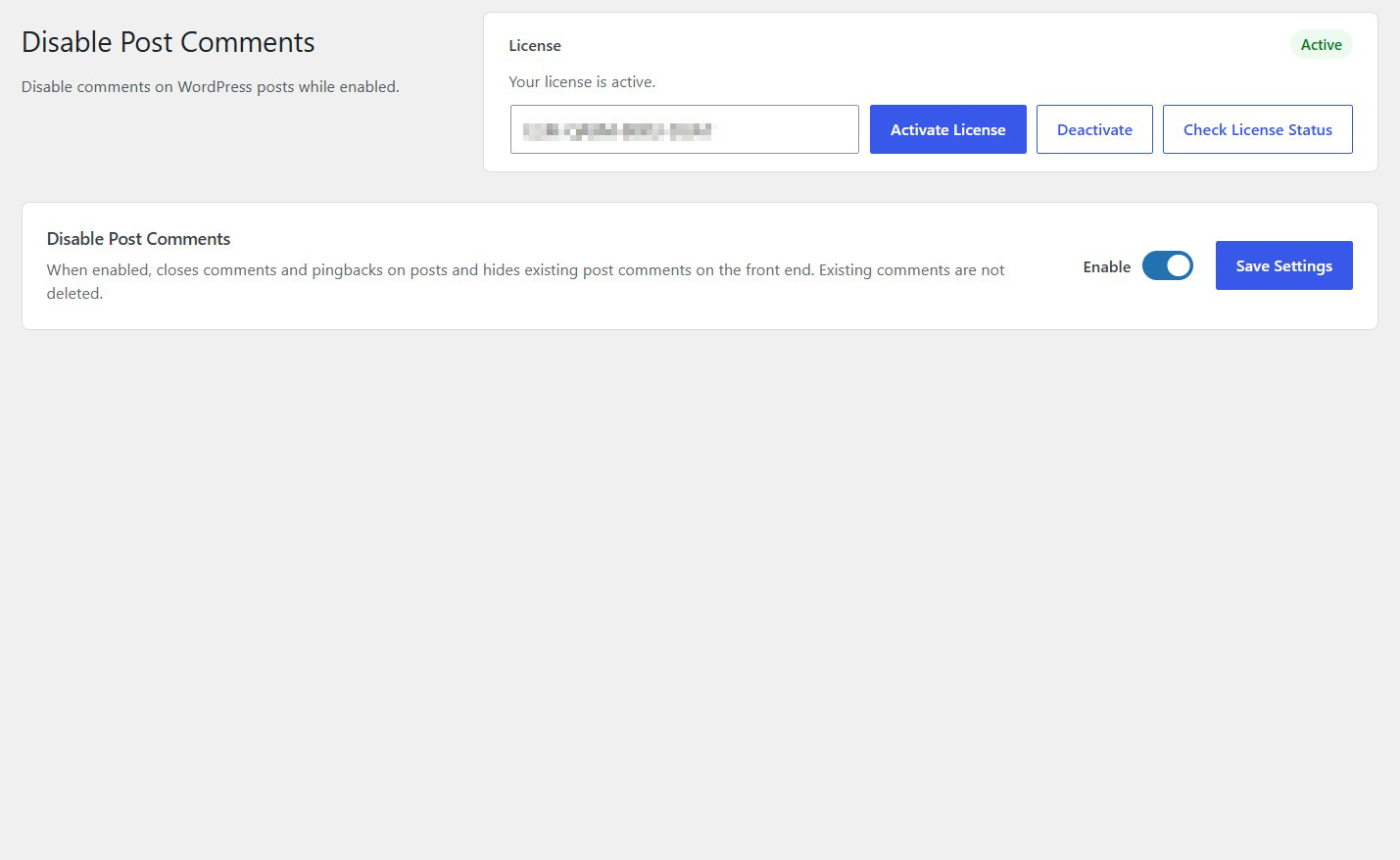
Disable comments on WordPress posts with a single click.
Close Comment Sections
Prevent visitors from submitting new comments on your posts while the plugin is enabled.
Disable Pingbacks
Close pingbacks on posts to prevent new pingback interactions.
Hide Existing Comments
Remove existing post comments from public view while keeping them stored in your WordPress database.
Preserve Your Comments
Existing comments are not deleted. They remain stored and can become visible again when the plugin is disabled.
Simple One-Click Control
Enable or disable comment restrictions directly from one convenient settings screen.
Description
Disable Post Comments makes it easy to turn off comments and pingbacks on your WordPress posts without manually changing individual post settings.
When enabled, the plugin closes comments and pingbacks on posts and hides existing post comments from the front end of your website.
You don’t need to edit posts individually or navigate through complicated WordPress discussion settings. Simply enable the plugin and your post comment sections will be disabled.
An important advantage is that existing comments are not deleted. They remain stored in your WordPress database, allowing you to retain your existing comment history.
Whether you run a business website, a blog, a content platform or a website where visitor discussions are unnecessary, Disable Post Comments provides a quick and convenient way to manage post comments.
Lightweight and easy to use, the plugin offers simple comment control directly within WordPress, without requiring external services or complicated configurations.
Key Features
- Disable comments on WordPress posts
- Close comment submission forms
- Disable pingbacks on posts
- Hide existing post comments from the front end
- Preserve existing comments in the WordPress database
- No need to edit posts individually
- Enable or disable comment restrictions whenever needed
- Simple centralized settings screen
- Lightweight and easy to use
- No external services or API keys required
Frequently Asked Questions
What does Disable Post Comments do?
The plugin disables comments and pingbacks on WordPress posts while hiding existing post comments from the front end of your website.
Will visitors still be able to submit new comments?
No. When the plugin is enabled, comments are closed on posts, preventing visitors from submitting new comments.
What happens to comments that already exist?
Existing comments are not deleted. They remain stored in your WordPress database but are hidden from the front end while the plugin is enabled.
Will disabling the plugin restore my existing comments?
Yes. Since existing comments are not deleted, disabling the plugin allows the normal WordPress comment behavior to resume, subject to the individual post’s discussion settings.
Does the plugin also disable pingbacks?
Yes. When enabled, the plugin closes pingbacks on WordPress posts as well as comments.
Do I need to disable comments on every post individually?
No. The plugin provides centralized control, allowing you to disable comments on posts without manually editing each one.
Does the plugin delete comments from my WordPress database?
No. Existing comments are preserved. The plugin hides them from public view rather than permanently deleting them.
Does the plugin affect existing WordPress pages?
The plugin is designed to disable comments and pingbacks on posts. It does not advertise a global disabling of comments on pages.
Can I temporarily re-enable comments?
Yes. Simply disable the plugin functionality from its settings page to stop applying its comment restrictions.
Do I need any external services or API keys?
No. The plugin works directly within WordPress and does not require external services or third-party API connections.
Related Plugins

Disable Trackbacks & Pingbacks
Disable trackbacks and pingbacks across your WordPress website to reduce unwanted external interactions.

Duplicate Post
Create copies of existing WordPress blog posts with one click, preserving their content and associated information.

Disable Admin Notices
Remove unwanted WordPress administration notices for a cleaner and less cluttered dashboard.