

Disable All Emails
Stop WordPress from sending outgoing emails with one simple plugin.
Take control of outgoing emails from your WordPress website. Disable All Emails helps you prevent WordPress-generated emails from being sent, making it useful for development, testing, staging environments, or websites where outgoing email delivery should be temporarily stopped.
Key highlights:
- Disable outgoing WordPress emails
- Useful for staging and development websites
- Help prevent unwanted automated emails
- Simple setup with minimal configuration
- Lightweight functionality without unnecessary features
Choose Your License
1 Year / 1 Site
Use on 1 website for 1 year.
$0.99
1 Year / 10 Sites
Use on up to 10 websites for 1 year.
$6.99
Lifetime / 1 Site
One time payment. Use on 1 website forever.
$6.99
Secure Checkout
Instant Download
24/7 Email Support
Plugin Details
| Version | 1.0.0 |
| Total File Size | 49.4 KB |
| Last Updated | Oct 28, 2026 |
| Requires WordPress | 6.0+ |
| Requires PHP | 7.4+ |
| Compatible With | WordPress, WooCommerce, Elementor & Contact Form 7 |
| Support | 24/7 Email Support |
Stop Outgoing WordPress Emails
Prevent WordPress from sending outgoing emails while the plugin is enabled.
One Centralized Email Control
Control WordPress email sending from a single, simple settings screen.
Suppress Password Reset Emails
Prevent WordPress password reset emails from being sent while email sending is disabled.
Block New User Notifications
Stop automatic new-user registration notifications from being sent.
Prevent WooCommerce Order Emails
Suppress WooCommerce order-related emails sent through the standard WordPress email function.
One-Click Enable or Disable
Temporarily stop outgoing emails or restore normal email sending whenever you need.
Description
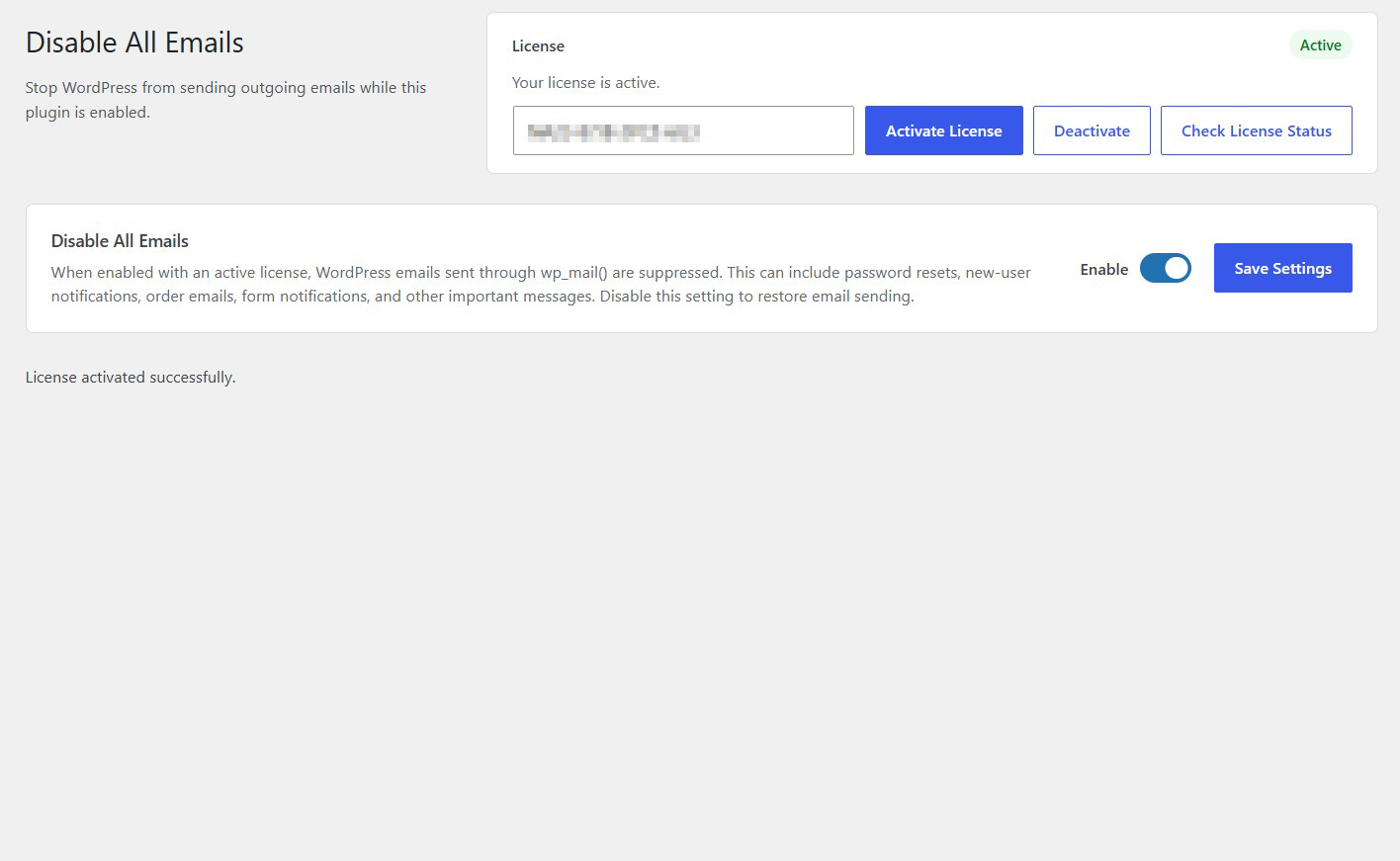
Disable All Emails is a lightweight WordPress plugin that allows you to temporarily stop outgoing emails from your website with a single setting.
WordPress websites send emails for many different reasons, including password reset requests, new user registrations, WooCommerce orders, contact forms and other plugin-generated notifications.
While these emails are essential for normal website operations, there are situations when you may want to temporarily prevent them from being sent.
For example, you might be testing a website, troubleshooting email delivery problems, preparing a staging environment or performing maintenance that requires email notifications to be temporarily disabled.
Disable All Emails provides a simple solution by suppressing outgoing emails sent through the standard WordPress wp_mail() function.
When enabled with an active license, the plugin prevents these emails from being sent, helping you avoid unwanted notifications during testing and maintenance.
The functionality applies centrally, so you do not need to visit individual plugin settings or configure separate email restrictions throughout your website.
When you are ready to restore normal email delivery, simply disable the setting and save your changes.
Whether you manage a WooCommerce store, a membership website or a standard WordPress installation, Disable All Emails gives you a convenient way to control outgoing WordPress email activity.
One setting. Centralized control. No unwanted outgoing WordPress emails while enabled.
Key Features
- Suppress outgoing WordPress emails
- Intercept emails sent through the standard wp_mail() function
- Suppress WooCommerce order emails sent through wp_mail()
- Control email sending from one centralized settings screen
- No need to configure individual plugins separately
- Temporarily disable outgoing email delivery
- Lightweight and easy to use
- No external services or API keys required
Frequently Asked Questions
Does it work with WooCommerce?
Yes. It can suppress WooCommerce emails that use the standard WordPress wp_mail() function.
Does it prevent password reset emails?
Yes. Password reset emails generated through wp_mail() are suppressed while the plugin is enabled.
Does it prevent new user registration notifications?
Yes. Standard WordPress new-user notification emails sent through wp_mail() are suppressed.
Does it work with contact forms?
It can suppress contact form notification emails when the form plugin sends them through wp_mail().
Do I need to disable email notifications individually in every plugin?
No. The plugin provides centralized control over emails sent through the standard WordPress email function.
Will emails be delivered later when I disable the plugin?
No. Emails suppressed while the plugin is enabled are not automatically queued for later delivery. Disabling the setting restores normal email sending for future messages.
Does it delete or modify existing emails?
No. The plugin controls outgoing email sending. It does not delete existing emails or modify messages already delivered.
Can I temporarily enable email blocking during website testing?
Yes. This is one of its main uses. You can suppress outgoing emails while testing your website and restore normal email sending afterward.
Does it require an SMTP configuration?
No. The plugin does not require an SMTP service or additional email configuration.
Does it block absolutely every email generated by WordPress?
It intercepts emails sent through the standard wp_mail() function. Plugins or external services that send emails through their own independent delivery mechanisms may not be affected.
What happens when I disable the setting?
WordPress resumes its normal email-sending behavior, allowing future emails to be sent through the standard wp_mail() function.
Related Plugins

Disable Plugin Notifications
Hide plugin-generated administration notices throughout your WordPress dashboard.

Disable Admin Notices
Hide standard WordPress administration notices and maintain a cleaner dashboard.

Disable REST API for Logged-Out Users
Restrict access to the WordPress REST API for visitors who are not logged in.