
Block This Email & Domain
Block specific email addresses or domains across your WordPress site.
Easily block unwanted email addresses or entire domains from registering, logging in, posting comments or submitting forms. A simple and effective tool to keep spam and unwanted users out.
Key highlights:
- Block email addresses or entire domains
- Works with registration, login, comments and contact forms
- Simple and easy to use
- Lightweight and no external services
- Perfect for WordPress, WooCommerce and more



Choose Your License
1 Year / 1 Site
Use on 1 website for 1 year.
$6.99
1 Year / 10 Sites
Use on up to 10 websites for 1 year.
$19.99
Lifetime / 1 Site
One time payment. Use on 1 website forever.
$19.99
Secure Checkout
Instant Download
24/7 Email Support
Plugin Details
| Version | 0.3.5 |
| Total File Size | 81.1 KB |
| Last Updated | Oct 28, 2026 |
| Requires WordPress | 6.0+ |
| Requires PHP | 7.4+ |
| Compatible With | WordPress, WooCommerce, Elementor & Contact Form 7 |
| Support | 24/7 Email Support |
Block Registrations
Prevent unwanted users from creating accounts.
Block Login
Stop blocked emails from logging in.
Block Comments
Prevent spam comments from specific emails.
Works with Forms
Compatible with popular contact form plugins.
Block Entire Domains
Easily block whole domains (e.g. spam.com).
Simple Management
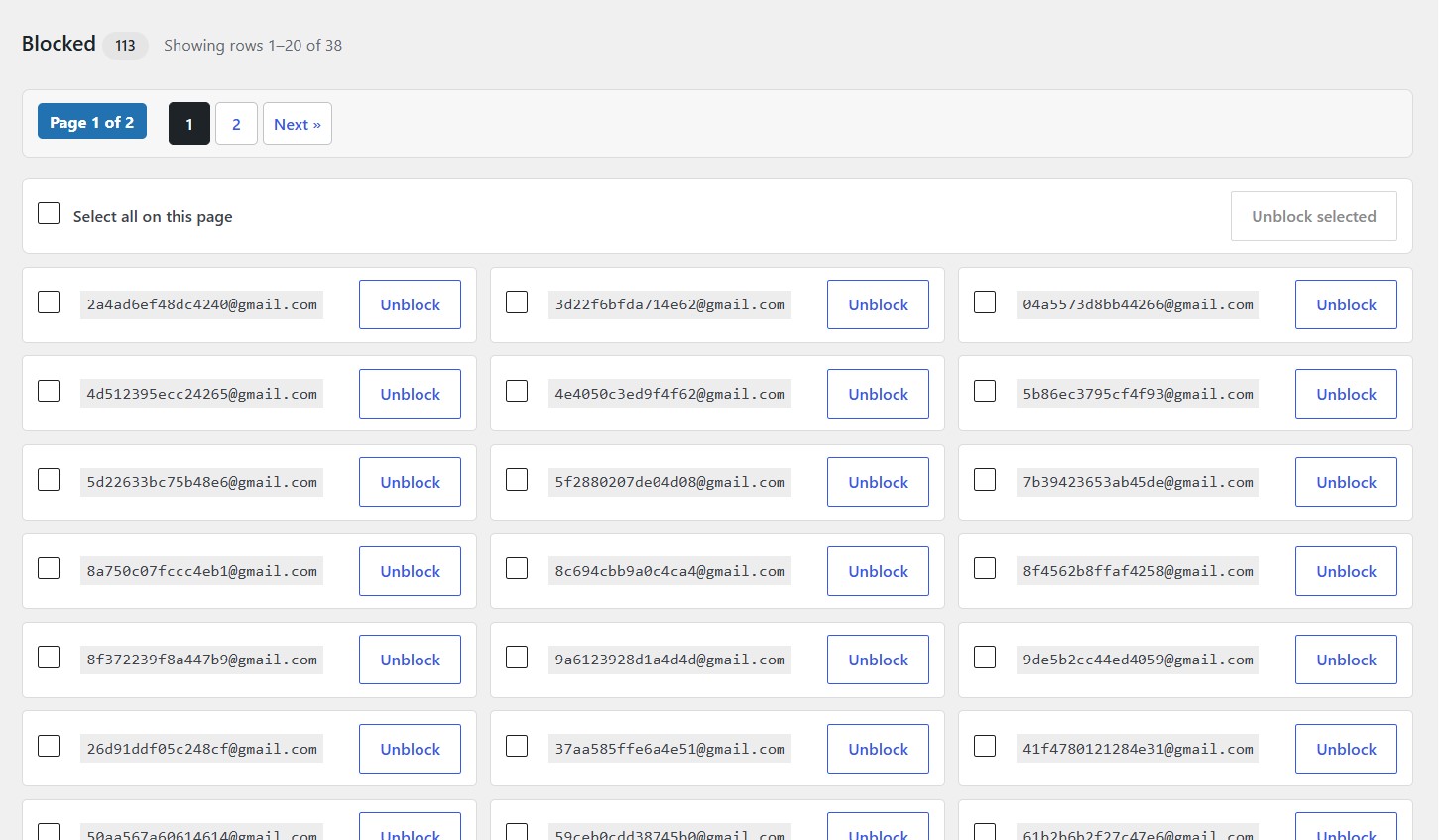
Add or remove emails anytime from one screen.
Description
Block This Email & Domain helps you keep your WordPress site free from spam and unwanted users. You can block individual email addresses or entire domains, and the plugin will prevent those emails from being used for registrations, logins, comments and form submissions.
It works seamlessly with WordPress core, WooCommerce, Elementor, Contact Form 7 and other popular plugins. The plugin is lightweight, easy to configure and does not use any external services.
Key Features
- Block specific email addresses
- Block entire domains (e.g. spam.com)
- Works with registration, login, comments and contact forms
- Compatible with WooCommerce and popular plugins
- Easy to use and lightweight
- No external API or third-party services
Frequently Asked Questions
Can I block an entire email domain?
Yes. You can block an individual email address or an entire domain, depending on how broadly you want to apply the rule.
Does the plugin block existing WordPress users?
The plugin is intended to enforce rules when email addresses are checked in supported operations. It does not automatically delete existing users simply because their addresses match a blocklist entry.
Does it work with WooCommerce?
WooCommerce compatibility depends on the integration included in the released version. Check the compatibility information above for the supported operations.
Does it work with contact forms?
The plugin can support contact-form integrations where implemented. Check the published compatibility list for the specific form plugins and operations supported.
Can I block multiple email addresses at once?
Yes. Use the bulk-block feature to paste multiple addresses or domains into the list.
Can I unblock an address later?
Yes. You can search for an entry and remove it from your blocklist. You can also select multiple entries for removal.
Do I need an external API or subscription?
No external email-checking API is required for core blocklist management. A valid WPActions license is required to use the licensed plugin functionality.
Can I use the plugin on client websites?
Yes. You can use the plugin on your own websites and client websites within the site limit of your purchased license.
Can I use one license on multiple websites?
Choose the license that matches your needs: one website, up to ten websites, or lifetime use on one website.
Related Plugins

Hide WP-Login Page From Public
Protect your WordPress login page from unwanted access.